Background
SketchUp 2019+ Compatible

Design Stunning Interiors
In Seconds, Not Hours

Professional parametric generators for ceilings and wardrobes. 30 premium ceiling presets, 8 wardrobe styles with real-time 3D preview. Built for architects and interior designers who demand precision.

30+
Ceiling Presets
8
Wardrobe Styles
3D
Live Preview
15
Day Free Trial
Two Powerful Tools, One Extension

NTech Utilities combines a parametric ceiling generator and a feature-rich wardrobe generator into a single premium SketchUp extension.

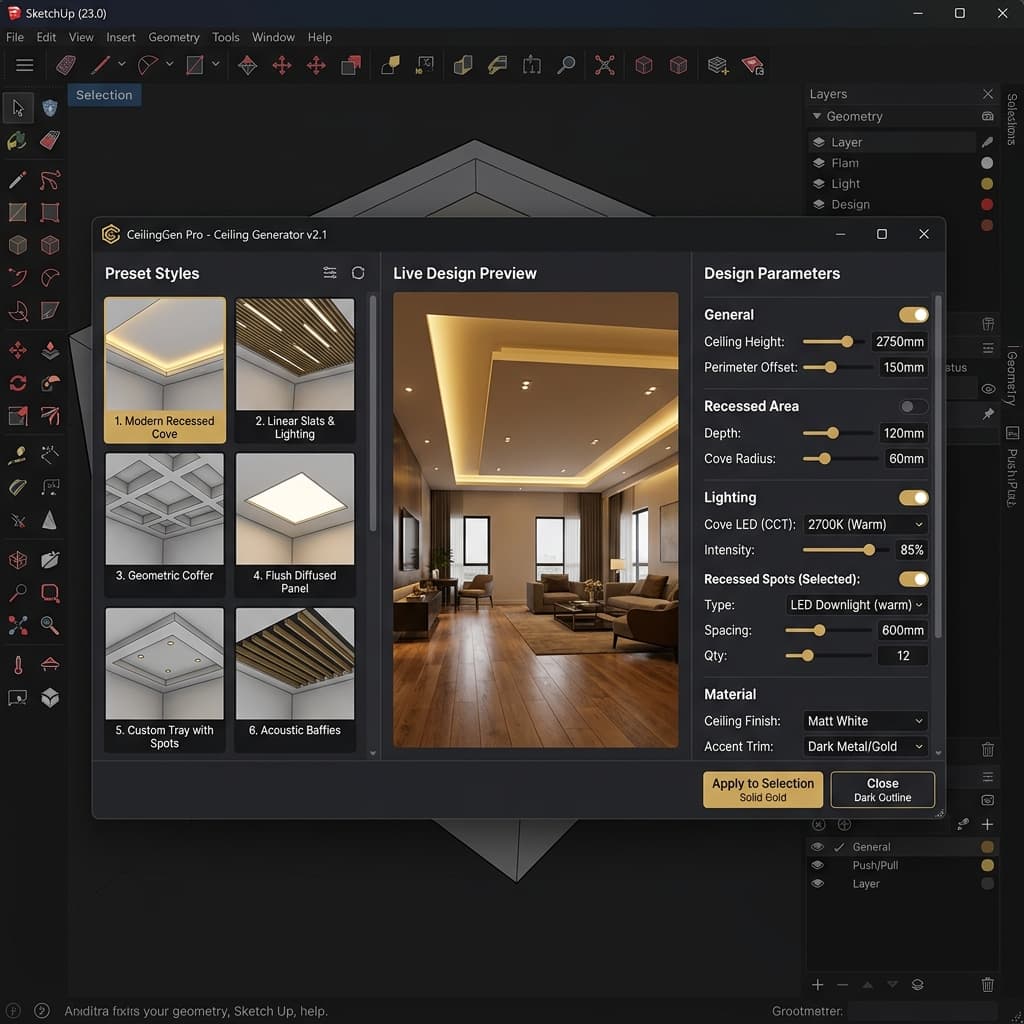
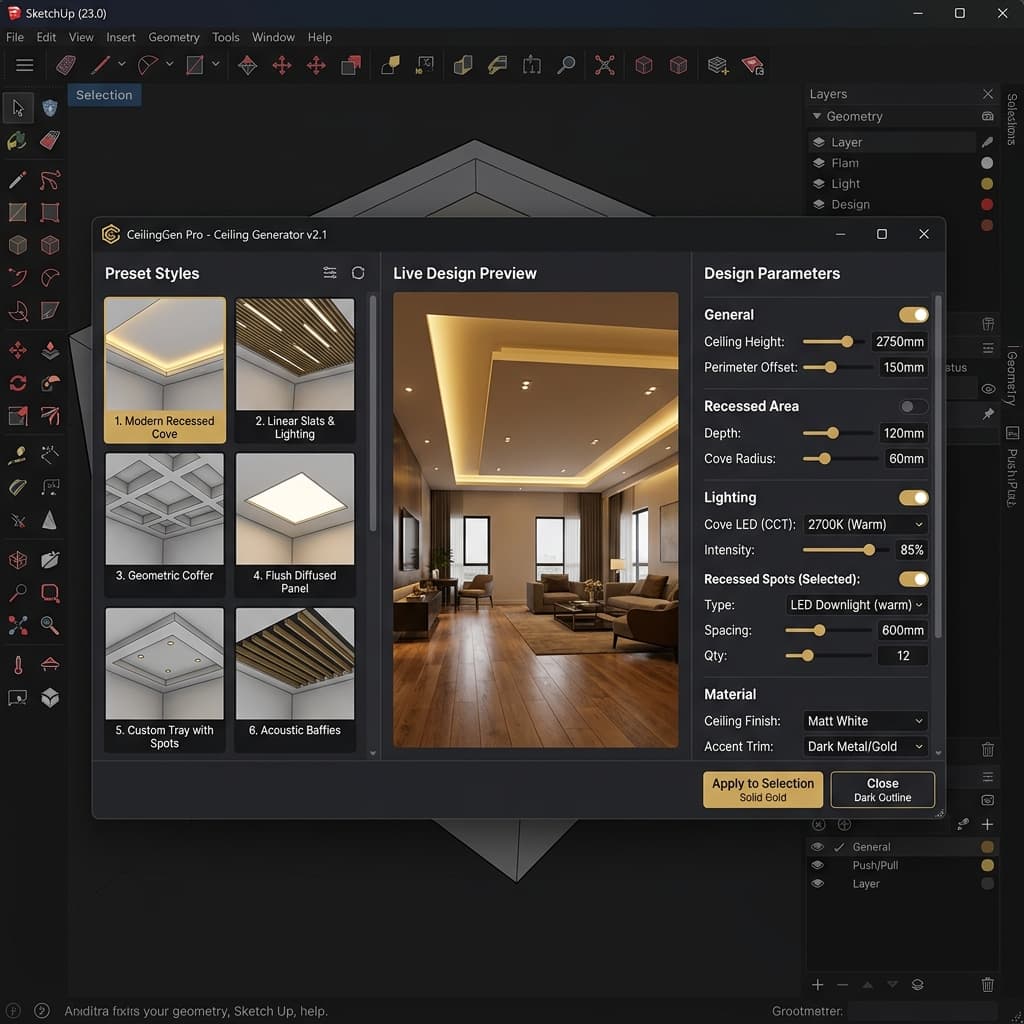
NTech Ceiling Generator Preview
Ceiling Generator

Parametric Ceiling Designer

Select any floor face and generate stunning ceiling designs instantly. Choose from 30 room-specific presets across Bedroom, Living Room, and Dining Room categories.

  • 🏠 30 Premium Presets
  • ✨ Cove Lighting
  • 📐 Auto Offset & Fillet
  • 🎯 Magnetic Tracks
  • 💡 Glow Slots
  • 🔲 POP Panels
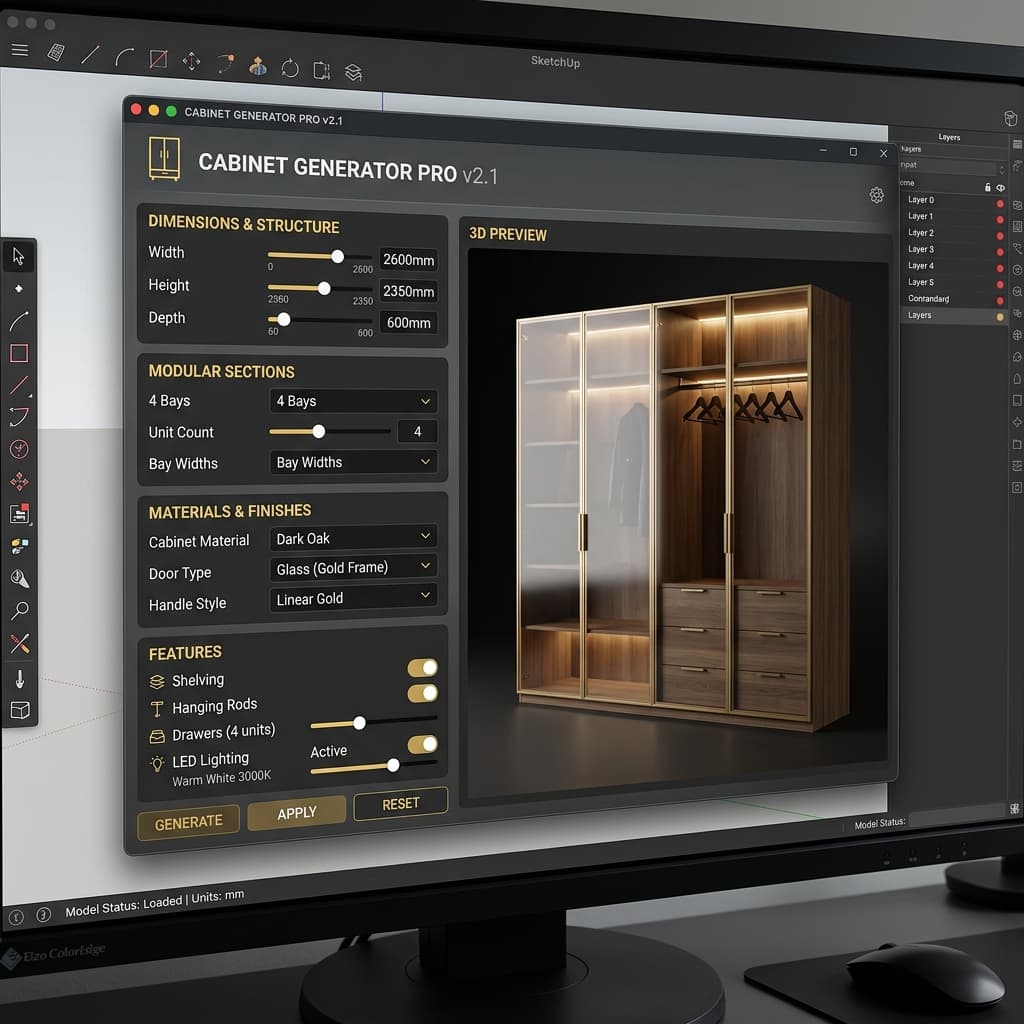
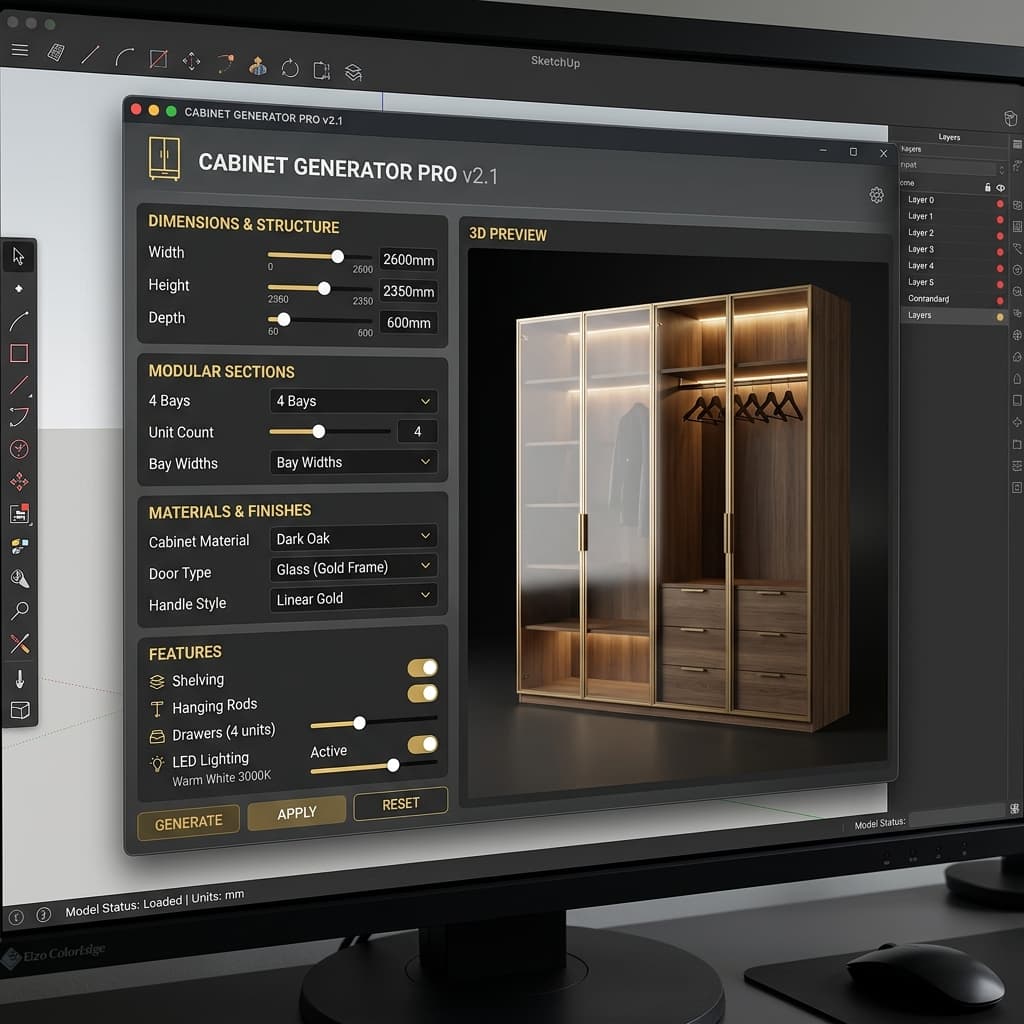
NTech Wardrobe Generator Preview
Wardrobe Generator

Smart Wardrobe Builder

Build fully parametric wardrobes with customizable sections, premium door styles, LED lighting, and real-time 3D preview. From minimalist to luxury designs.

  • 🚪 7+ Door Styles
  • 💡 LED Profile Lights
  • 📦 Drawer Variants
  • 🔲 Glass & Hinged Doors
  • 🎨 Custom Colors
  • 👁️ 3D Live Preview

Built for Professional Workflows

Every feature is designed to save you time while delivering production-quality results.

Instant Generation

Select a face, pick a preset, click generate. Full ceiling or wardrobe geometry created in under 2 seconds.

🎨

30 Ceiling Presets

Room-specific presets for Bedroom, Living Room, and Dining Room. Tray ceilings, cove lighting, magnetic tracks, and more.

🚪

Premium Door Styles

7+ handleless door styles including J-Pull, Slot Pull, Notch Pull, and Grid Channel with LED glow effects.

👁️

3D Live Preview

Interactive perspective preview with yaw/pitch rotation. See your wardrobe design from any angle before generating.

💡

LED Lighting

Built-in LED profile light strips positioned exactly 3 inches inside doors. Warm white glow for realistic visualization.

🔧

Fully Parametric

Every dimension is customizable — width, height, depth, sections, shelves, drawers, handle sizes, and more.

From Selection to Generation

Three simple steps to create professional interior geometry.

01

Draw & Select Your Face

Draw your room boundaries in SketchUp and select the floor or ceiling face. Works with any polygon shape — rectangles, L-shapes, and complex room layouts.

Try it free →
Step 1: Select face in SketchUp
02

Choose Your Style & Customize

Pick from our curated presets or customize every parameter. The wardrobe generator includes a real-time 3D preview so you can rotate, inspect, and fine-tune before committing.

Step 2: Customize in the UI
03

Generate & Render

Click "Generate" and your parametric geometry appears instantly in SketchUp — fully grouped, properly named, and ready for rendering or client presentation.

Step 3: Generated geometry in SketchUp

One License, Full Power

Get access to both the Ceiling Generator and Wardrobe Generator with a single license. 15-day free trial included.

NTech Utilities Pro

$29
One-time payment • Lifetime license
  • Ceiling Generator — 30 premium presets
  • Wardrobe Generator — 8 styles + custom
  • Real-time 3D preview
  • 7+ premium handleless door styles
  • LED lighting integration
  • Activate on up to 2 machines
  • Free updates for life
  • 15-day free trial — no card required

Frequently Asked Questions

What SketchUp versions are supported?+

NTech Utilities supports SketchUp 2019 or later (including SketchUp 2024) across both Windows and macOS. It uses the modern HtmlDialog API and Sketchup::Http for secure, asynchronous license validation.

How does the free trial work?+

When you install the extension, you get 15 days of full access to all features — no credit card required. After the trial expires, you'll need a license key to continue using the extension.

How many computers can I use with one license?+

Each license key can be activated on up to 2 machines simultaneously. If you need to move your license, you can deactivate it from one machine and activate on another.

Is this a subscription or one-time payment?+

It's a one-time payment for a lifetime license. You pay once and get access to all current and future updates at no additional cost.

How do I install the extension?+

Download the .rbz file after purchase, open SketchUp, go to Extensions > Extension Manager > Install Extension, and select the .rbz file. The NTech Utilities toolbar will appear automatically.

Do you offer refunds?+

Yes, we offer a 30-day money-back guarantee. If you're not satisfied with the extension, contact us at support@ntechsol.in for a full refund.

Ready to Transform Your Design Workflow?

Join architects and interior designers who save hours on every project.

🚀 Start Your Free Trial